


Mirror: LED Makeup & Beauty
3.710.00 Reviews
App Specs
- Version
- 1.4.1
- Updated On
- License
- Free
- Downloads
- 10,000+
- Developer
- Applab Studios
- Categories
- Beauty
- Platform
- Android
Screenshots
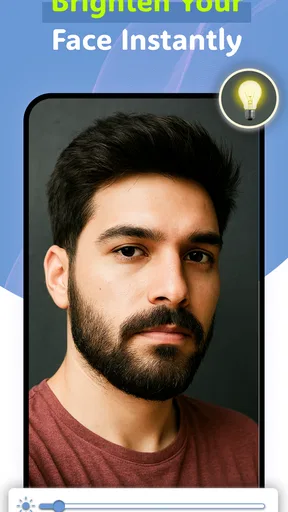
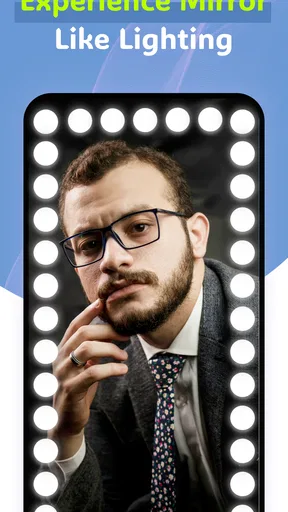
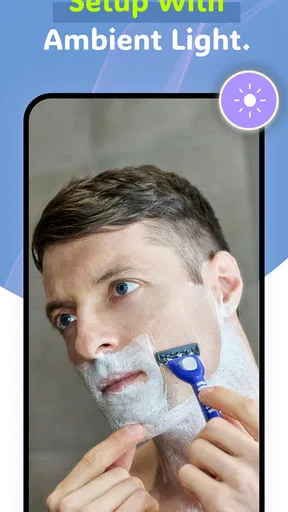
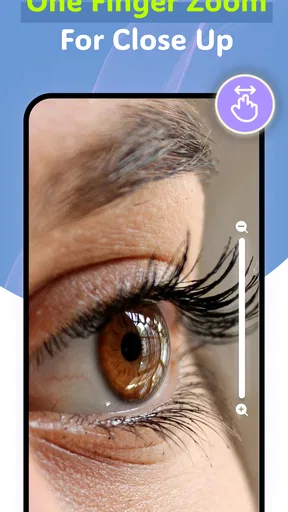
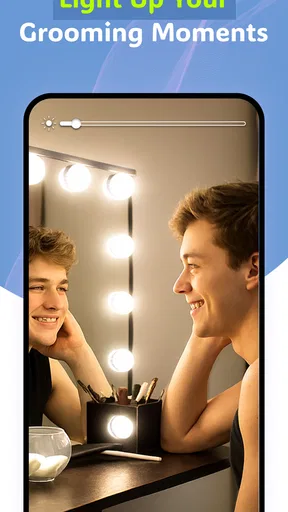
 Analysis by AppCompare
When I need a quick look at my face rather than a full beauty routine, I prefer something that opens without making the moment feel complicated. Mirror: LED Makeup & Beauty is built around that simple need. It turns an Android phone into a handheld mirror, using the camera view, zoom, full-screen display, and an LED light effect to make close-up checking easier in dim rooms. I found it most useful as a practical pocket tool, not as a replacement for a proper bathroom mirror or a dedicated makeup light.
The app comes from Applab Studios and sits in the Beauty category. It is free to use, aimed at Everyone, and has passed the ten-thousand-install mark. Its average rating is 3.7 from roughly a hundred ratings, which feels consistent with my impression: the concept is easy to understand and occasionally handy, but the experience depends heavily on the phone itself and on the situation in which I use it.
What the mirror experience is really like
The first thing I noticed is that the app does not try to turn a basic mirror into a complicated beauty studio. The camera image is the main event. I can enlarge the view when I want to inspect an eyebrow, check whether eyeliner has smudged, or look at a small area of skin more closely. Switching to a full-screen view makes the phone feel less like a camera interface and more like a dedicated reflective surface.
That distinction matters. A normal mirror shows my face with no camera processing, while this app shows the live camera image. Depending on the phone, the image may look different from what I see in glass, especially in terms of framing, brightness, and the way the front camera presents facial details. I would use it for checking and grooming, but I would not treat the screen as a perfectly neutral reference for color matching.
The LED light option is the feature that gives the app a reason to exist beyond simply opening the front camera. In a dark hallway, a hotel room, or a bedroom with uneven lighting, extra illumination can make small details easier to see. I found it particularly useful before leaving home, when the available light was behind me rather than in front of me. The improvement is practical, although it cannot completely overcome a poor camera, a dark lens, or harsh surroundings.
The best way to think about this app is as a quick inspection tool, not a professional makeup monitor. That expectation keeps the experience in perspective. It is free and convenient, but its results still depend on the phone’s front camera, screen brightness, lighting conditions, and the steadiness of my hand.
Where connectivity enters the experience
A mirror seems like the kind of tool that should have nothing to do with connectivity, and that is mostly how I approached it. The useful action happens on the phone: I open the app, look at the camera image, adjust the view, and use the light when necessary. I do not need a social feed, an account, or an online beauty community to understand what is on screen.
Worth Reading Before You Choose

EA SPORTS FC Mobile 26 Is a Bigger Football Game, but It Takes Time

Flipboard Shows What News Apps Must Do Beyond the Feed

Switching to Android Auto Means Rethinking Your Driving Routine

Google Calendar Makes a Crowded Week Easier to Manage

Ludo King Makes the Most of the Minutes Between Plans

Baby Panda World Brings Quick Play to Modern Phones, but Its Game Library Feels Busy
That simplicity is valuable when I am moving between places. I can imagine using it in a changing room, at a desk before a video call, or in a car while parked and preparing for an event. In those moments, the important question is not whether I have a fast connection. It is whether the phone has enough battery, whether the camera is available, and whether the surroundings provide a usable view.
There is still a network-dependent moment around getting the app in the first place and keeping it current. The release is listed as Jul 1, 2017, and the current version is 1.4.1, so I would install or update it before travelling rather than waiting until I am already in a place with weak service. Once the app is available on the device, I would not plan my grooming routine around an internet connection, but I also would not make a firm promise about every behavior in every phone environment.
This makes the app different from beauty services that depend on cloud processing, tutorials, shopping, or online accounts. It does not ask me to spend time browsing content before I can use the basic mirror idea. For someone who wants recommendations, virtual try-ons, or guided routines, that minimal approach may feel limited. For someone who wants a fast face check, it is refreshingly direct.
Useful mobile situations beyond the bathroom
The strongest use case is a small, immediate correction. I might be outside and notice that a contact lens feels wrong, see a stray hair in a reflection, or want to check whether lipstick has moved after eating. A physical compact mirror would handle some of these tasks, but the phone offers zoom and a brighter screen, which can be more helpful when the detail is tiny.
One realistic routine is getting ready at a friend’s place where the only mirror is across the room. I can hold the phone close, activate the light, and inspect one area at a time instead of leaning toward a distant reflection. I would still use the room’s mirror for the overall look, because the phone’s close view can make small imperfections seem more important than they are.
The app also makes sense for people who carry their phone everywhere but do not usually carry a makeup mirror. It takes no extra object from a handbag or backpack. That convenience is especially noticeable during short stops between work and an evening plan. I can check my appearance at a desk or in a quiet corner without setting up a full beauty kit.
There are limits to using a phone this way in public. A bright screen can attract attention, and holding a camera toward the face may feel awkward in crowded places. I would avoid using it while walking or in any situation where handling the phone creates a distraction. It is a small utility, but it still deserves the same care as any other camera-based phone activity.
For shaving, the zoom can help me examine edges around the beard or sideburns. However, I would not rely on the screen alone for a close shave when visibility is poor. A phone can be slippery, and a handheld screen does not give the same stable, wide view as a bathroom mirror. The app is better for checking progress than for replacing a well-lit shaving setup.
How to get a clearer result
My first practical tip is to clean the front camera before judging the image. A fingerprint creates a soft, hazy view that can look like a lighting problem. I also keep the phone as steady as possible and position the light source in front of me rather than above or behind me. These small adjustments make more difference than repeatedly changing the zoom.
Zoom is most useful in short bursts. I use it to inspect a specific detail, then return to a wider view before making a decision about the whole face. Staying zoomed in can exaggerate texture and make a normal feature look like something that needs correction. That is a psychological trade-off of any close-up mirror, not a defect unique to this app, but it is easy to forget when the screen is inches from my face.
The LED setting is also best used as assistance rather than as the only light source. If the room is completely dark, a single phone may produce an uneven or unflattering view. I get a more useful result by turning toward a window or room lamp and using the app’s illumination to fill in the remaining shadows. For makeup color decisions, I would check the result under the lighting where I will actually spend time.
Full-screen viewing helps when I want fewer distractions around the image. It also gives the mirror-like experience more space, especially on a larger phone. On a smaller screen, I would value the full-screen mode even more because interface elements can otherwise take up a noticeable part of the viewing area. The trade-off is that a larger image can encourage me to focus too closely on details that would not be visible at normal distance.
What happens when the setup goes wrong
Most problems I would expect here are practical rather than mysterious. If the image is dark, I check the direction of the light and the camera lens before blaming the app. If the face is too close to one edge, I reframe the phone instead of relying immediately on zoom. If the view feels uncomfortable, I lower the screen brightness or move away from a reflective background that is adding glare.
Connectivity is less central during ordinary use than it is during installation or updating, but a weak network can still matter if I am trying to prepare the app at the last minute. My preferred recovery routine is simple: install it while I have a reliable connection, open it once before leaving, and avoid assuming that a new download will be convenient in a basement, airplane, or remote location. That is sensible preparation for any small utility, especially one I may need unexpectedly.
If the camera view does not appear correctly, I would close and reopen the app, check whether another camera application is already using the camera, and confirm that the phone itself can access the front camera. I would also remove any case or accessory that partly covers the lens. These steps are more useful than repeatedly tapping the same control, because the mirror experience depends on the camera feed being available in the first place.
Battery is another overlooked part of the recovery plan. Using the camera, a bright screen, and an LED light effect together can be more demanding than simply looking at a dark screen. I would not open this app as a substitute for a physical mirror when my phone is nearly empty and I have no way to recharge it. A compact mirror wins in that particular situation because it has no battery requirement at all.
Phone compatibility also deserves attention. The listed minimum operating system is Android 7.0, so the app is intended for Android devices meeting that requirement. That does not guarantee an identical experience across every handset. Camera quality, screen size, front-camera placement, and manufacturer software can all change how natural the mirror feels. I would judge it on the phone I actually plan to carry, not on another device with better hardware.
A sensible approach to privacy and data use
A camera-based mirror naturally makes me think about privacy, even when I am only checking my face. I use it in the same way I would use any camera feature: I keep the phone pointed where I intend, avoid opening it in situations where other people could be captured unnecessarily, and close it when I am finished. That habit is especially important in shared spaces.
I also prefer to use the app for the immediate live view rather than treating the phone as a place to collect endless close-up checks. A live mirror is a temporary activity; saving or sharing images would create a different kind of use with different privacy considerations. I would not use a beauty mirror casually around private documents, children, or strangers simply because the app itself feels lightweight.
Connectivity-conscious use is straightforward. I would update it on a trusted connection, avoid downloading anything at the last second, and use the app when I need the mirror rather than leaving the camera screen active in the background. I do not need to turn a quick grooming check into a data-heavy routine. The app’s focused design works best when I keep the task focused too.
This is also where the app compares favorably with more elaborate beauty alternatives. Many beauty apps are built around filters, sharing, tutorials, product discovery, or online content. Those features can be fun and useful, but they add more reasons to stay connected and more distractions from the original task. This mirror app gives me fewer creative tools, yet that restraint is an advantage when I want a direct view and nothing else competing for attention.
Who should use it, and who should skip it
I would recommend it to someone who frequently needs a portable face mirror, wants a little help in dim lighting, and appreciates zoom for small grooming details. It is also a reasonable choice for a user who does not want to install a large beauty suite filled with filters or shopping features. The free price makes it easy to try, and the Everyone rating makes the intended audience broad.
I would be more cautious about recommending it to a professional makeup artist, anyone who needs dependable color accuracy, or a user who expects advanced tutorials and cosmetic analysis. A dedicated mirror with proper lighting remains better for detailed makeup application. A regular camera app may also be enough for someone who only wants a quick reflection and does not care about the mirror-oriented presentation.
People who dislike holding a phone close to their face may find the experience tiring. The device has to be positioned correctly, and the most helpful view is not always the most comfortable one. Users with older or less capable phones may also notice that the app cannot improve the underlying camera hardware. It can provide illumination and magnification, but it cannot turn a modest front camera into a studio camera.
The rating of 3.7 gives me a useful expectation: this is a practical niche tool rather than an essential app for everyone. Its appeal depends on whether the phone-as-mirror idea solves a real problem in the user’s routine. If I already carry a good compact mirror and usually have strong lighting, the benefit may be too small. If I often find myself searching for a reflection at inconvenient times, the app becomes much easier to justify.
My connectivity verdict
After using Mirror: LED Makeup & Beauty as a focused utility, I see connectivity as background infrastructure rather than the heart of the product. The important experience is local and immediate: open the mirror, adjust the view, use the light, and close it. That makes it suitable for many mobile situations where I do not want to depend on online content or an account-based beauty service.
Still, I would prepare before relying on it away from home. Install or update it while connected, test the camera on the phone you intend to use, and remember that battery and lighting can matter more than network strength once the app is ready. Those simple precautions remove most of the frustration associated with needing a small tool at the wrong moment.
Mirror: LED Makeup & Beauty is worth trying if convenience matters more to you than professional precision. I like its zoom, full-screen approach, and light assistance for quick checks, especially in awkward locations. I would not replace a real mirror, a well-lit shaving station, or a color-accurate makeup setup with it. As a free Android beauty app from Applab Studios, though, it delivers a clear, useful idea without forcing the user into a connected beauty ecosystem.
Its current version, 1.4.1, keeps the product’s identity straightforward: a phone-based mirror for moments when the usual alternative is unavailable or inconvenient. If that describes your everyday needs, it can earn a place on your device. If you want filters, tutorials, product guidance, or a polished virtual makeover, a different category of app will serve you better.
Pros
- Offers bright
- adjustable lighting for makeup application.
- Compact design is convenient for travel and small spaces.
- Helps reveal fine details in low-light environments.
- Simple controls make it easy to use while getting ready.
- Useful for touch-ups
- skincare routines
- and beauty photography.
Cons
- Lighting may drain the phone battery during extended use.
- Some features may require in-app purchases or subscriptions.
- Brightness can feel harsh without adjustable color temperature.
- Performance depends on the device’s camera and screen quality.
- Ads may interrupt use in the free version.
FAQs for Mirror: LED Makeup & Beauty
What is Mirror: LED Makeup & Beauty used for?
Mirror: LED Makeup & Beauty turns your phone into a convenient digital mirror for makeup, skincare, grooming, and quick appearance checks. It uses the device’s front-facing camera and screen to provide a live reflection, while brightness controls can help you see your face more clearly in dim environments. It is especially useful when a regular mirror is unavailable.
Does Mirror: LED Makeup & Beauty work without an internet connection?
The basic mirror function generally does not require a constant internet connection because it relies mainly on your phone’s camera and display. This makes it practical while traveling, commuting, or getting ready in places with limited signal. However, certain optional features, advertisements, updates, or additional content may require internet access depending on the version installed.
Can I adjust the lighting and image while using the app?
Yes, the app is designed to make viewing your reflection easier by offering controls such as screen brightness or LED-style illumination, depending on your device and the installed version. These adjustments can be helpful in bathrooms, bedrooms, or other low-light areas. Results may vary because the quality of the front camera and screen differs between phones.
Is Mirror: LED Makeup & Beauty safe to use and what permissions does it need?
The app primarily needs access to your device’s front camera so it can display a live image of your face. Before installing, review the permissions requested in the Google Play Store or App Store and allow only those that seem necessary. Avoid granting unrelated access, and remember that camera use can affect battery life during longer grooming sessions.
Is Mirror: LED Makeup & Beauty free to download?
Mirror: LED Makeup & Beauty may be available as a free download, although the exact pricing model can depend on the platform, region, and current developer settings. Free versions may include advertising, optional purchases, or premium tools. Check the app’s store listing before downloading to confirm whether subscriptions, in-app purchases, or other charges apply.


